Find out what your books are costing you. In 48 hours.
Two minutes of accountant access, which we only read. Within 48 hours you have a short written report on what is costing you money and what we would fix first. No charge and no obligation. If the books are fine, the report says so.

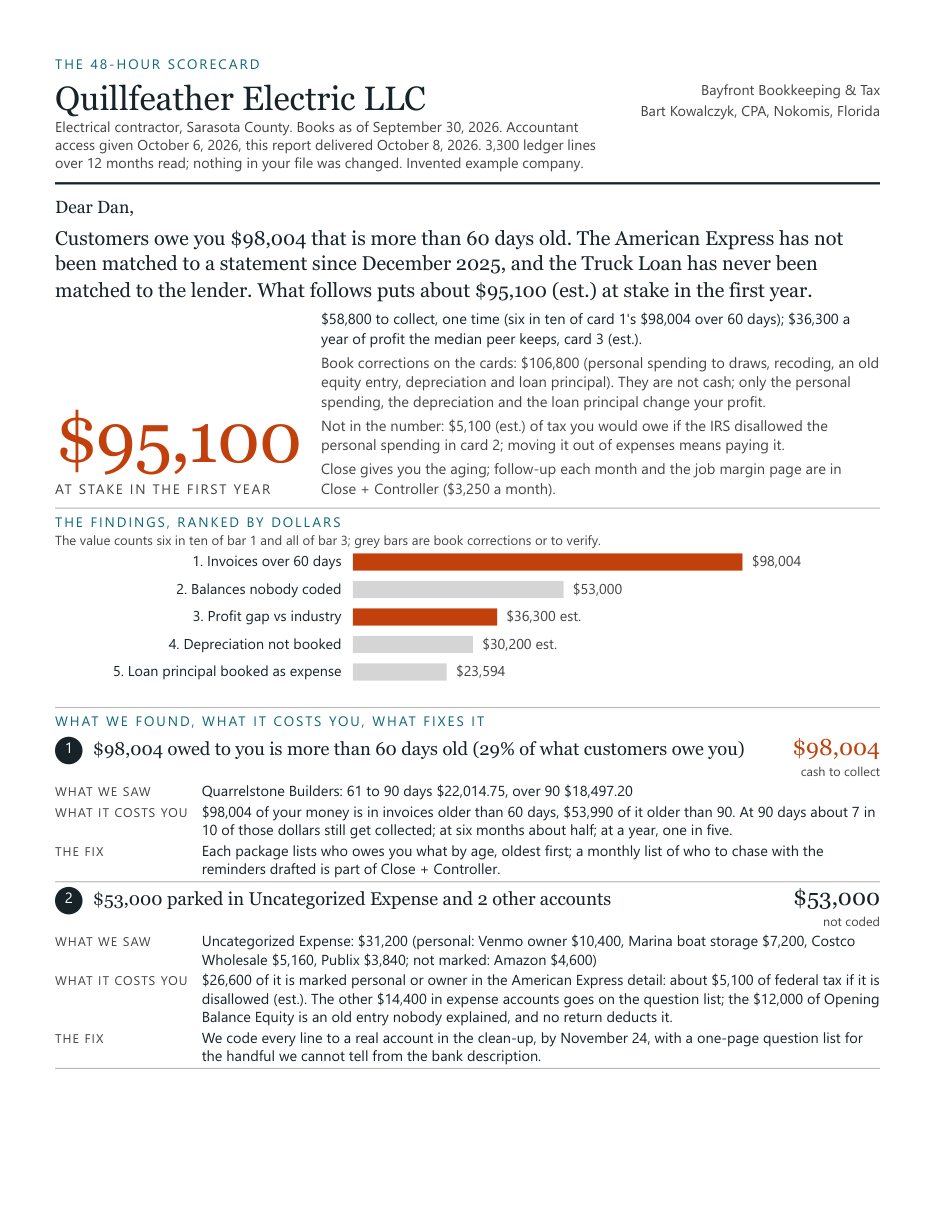
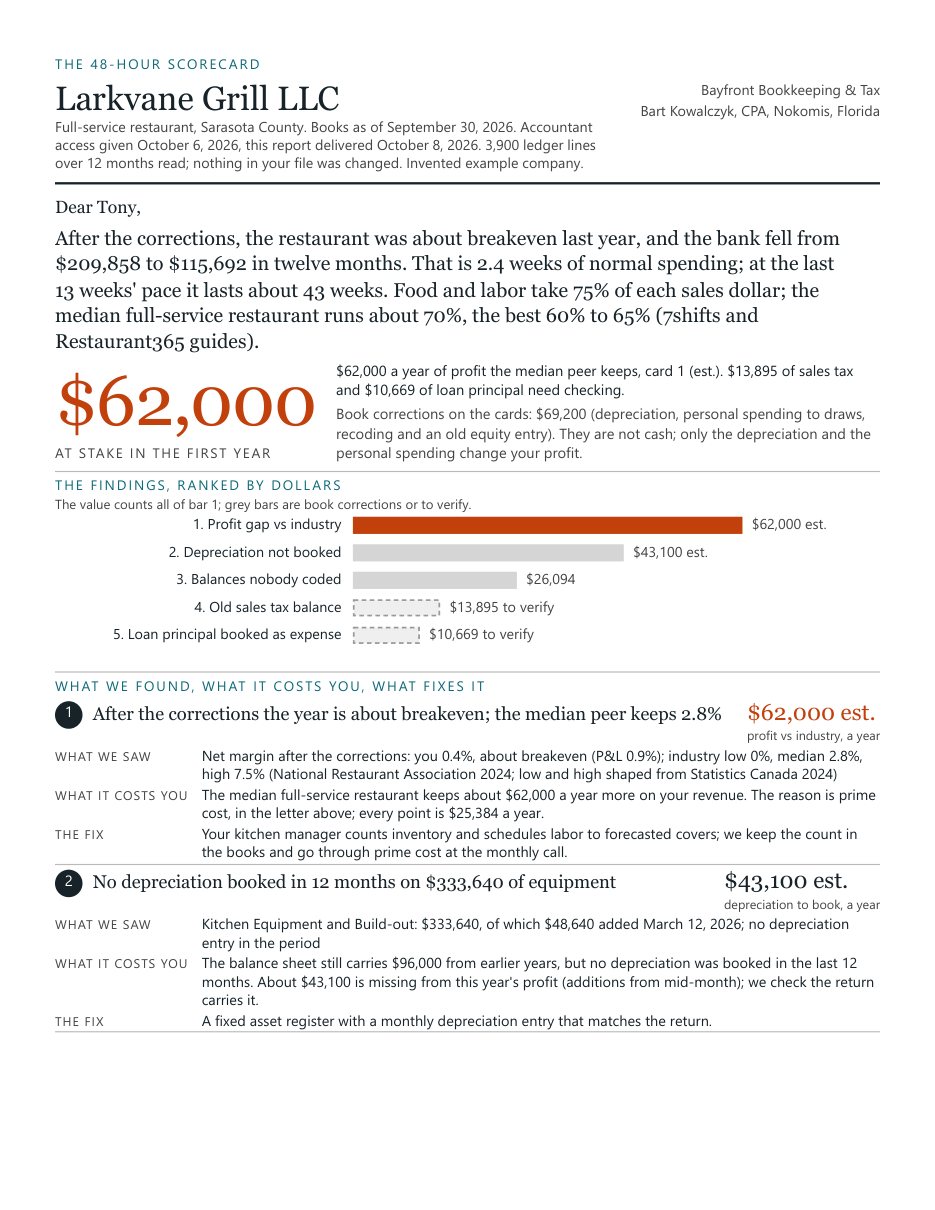
A short report, built around charts, written for the owner.
Every figure comes from your own ledger and is checked by Bart Kowalczyk, CPA. Estimates are marked as estimates.
If you want, a 15-minute call to walk you through it. Nothing is billed, and nothing in your books is changed.
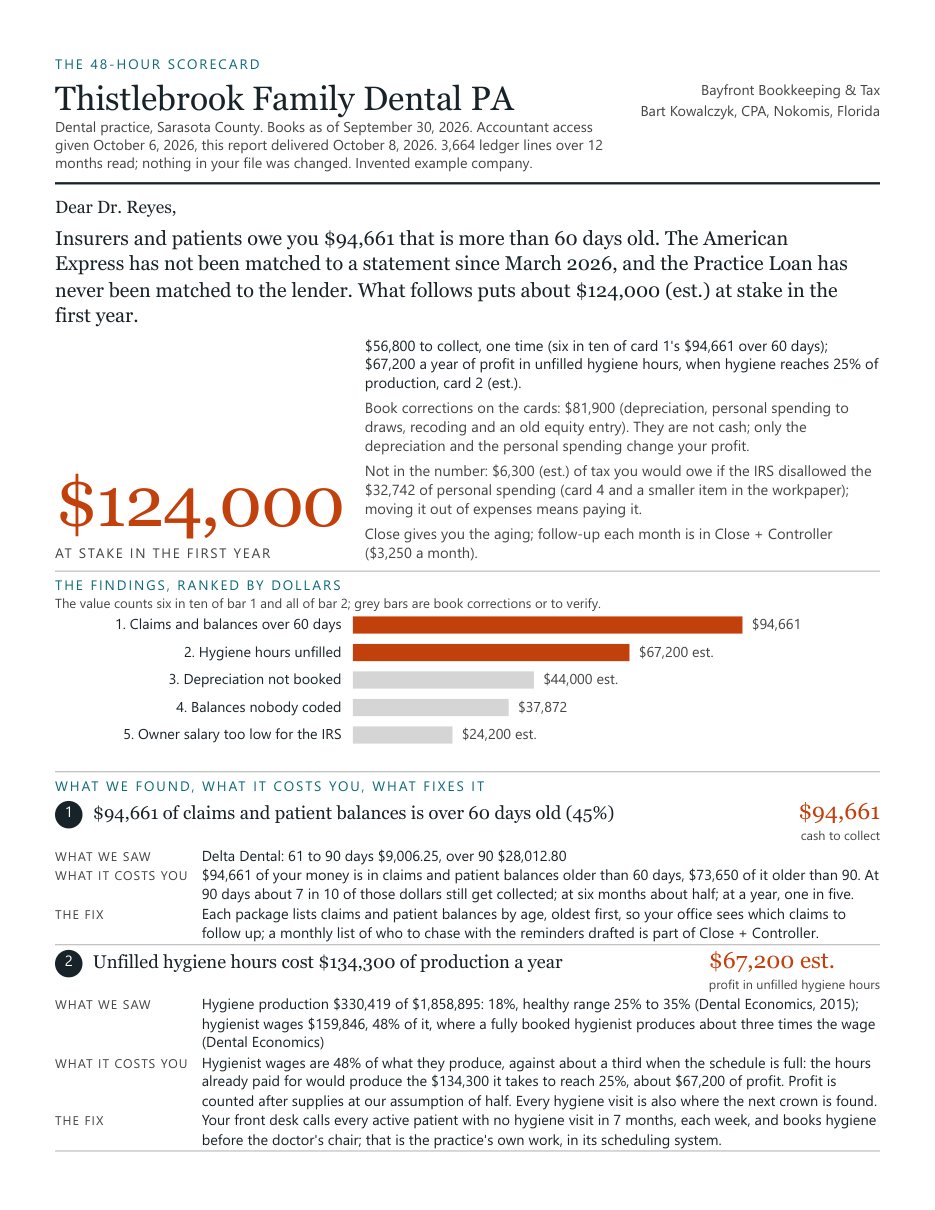
One number
What is at stake in the first year: cash to collect and profit left on the table, each counted once. Book corrections and any tax the clean-up would add are shown on their own lines, not in the number.
Five findings, ranked by dollars
Each with the evidence from your ledger, what it costs you, and the fix.
Who owes you, by name
Receivables over 60 days, oldest first.
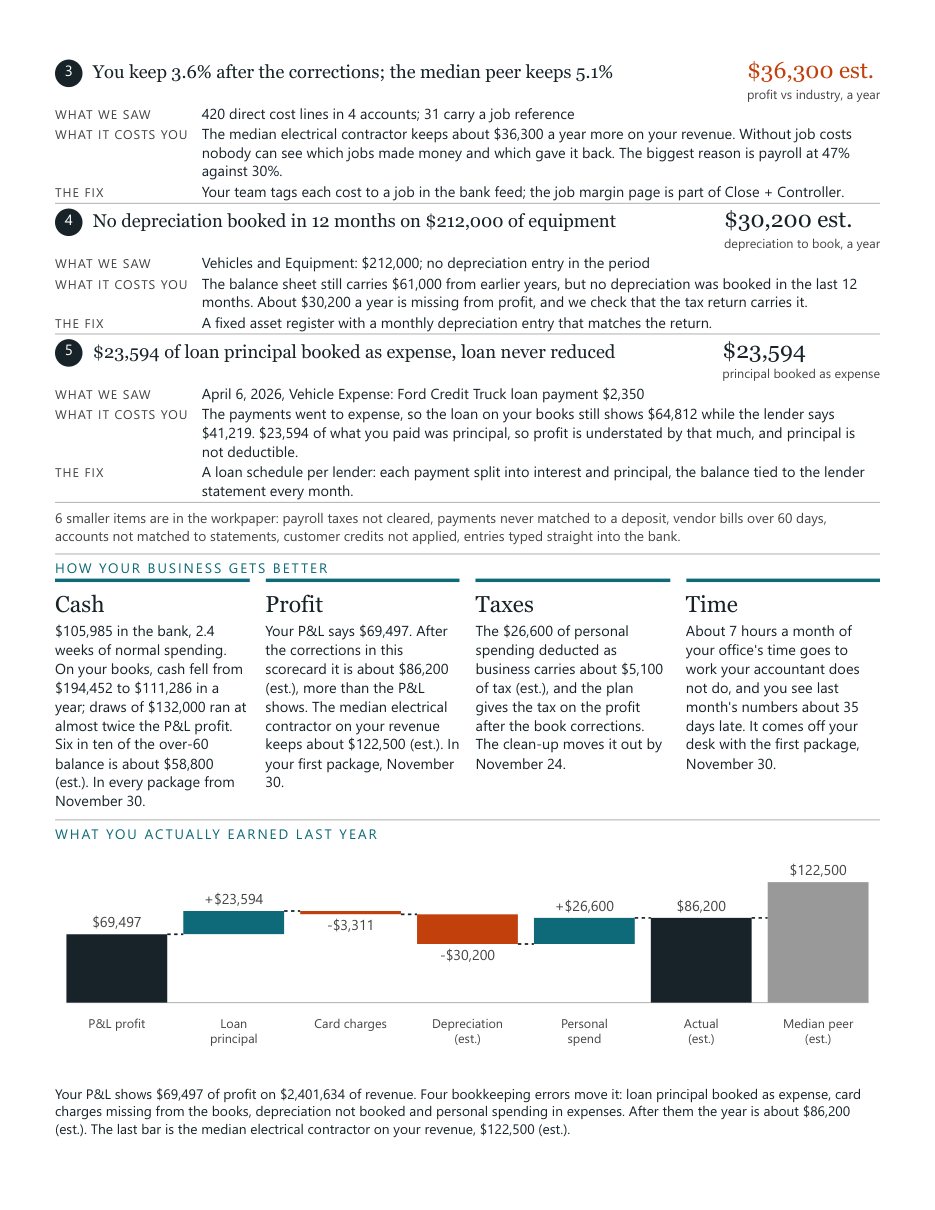
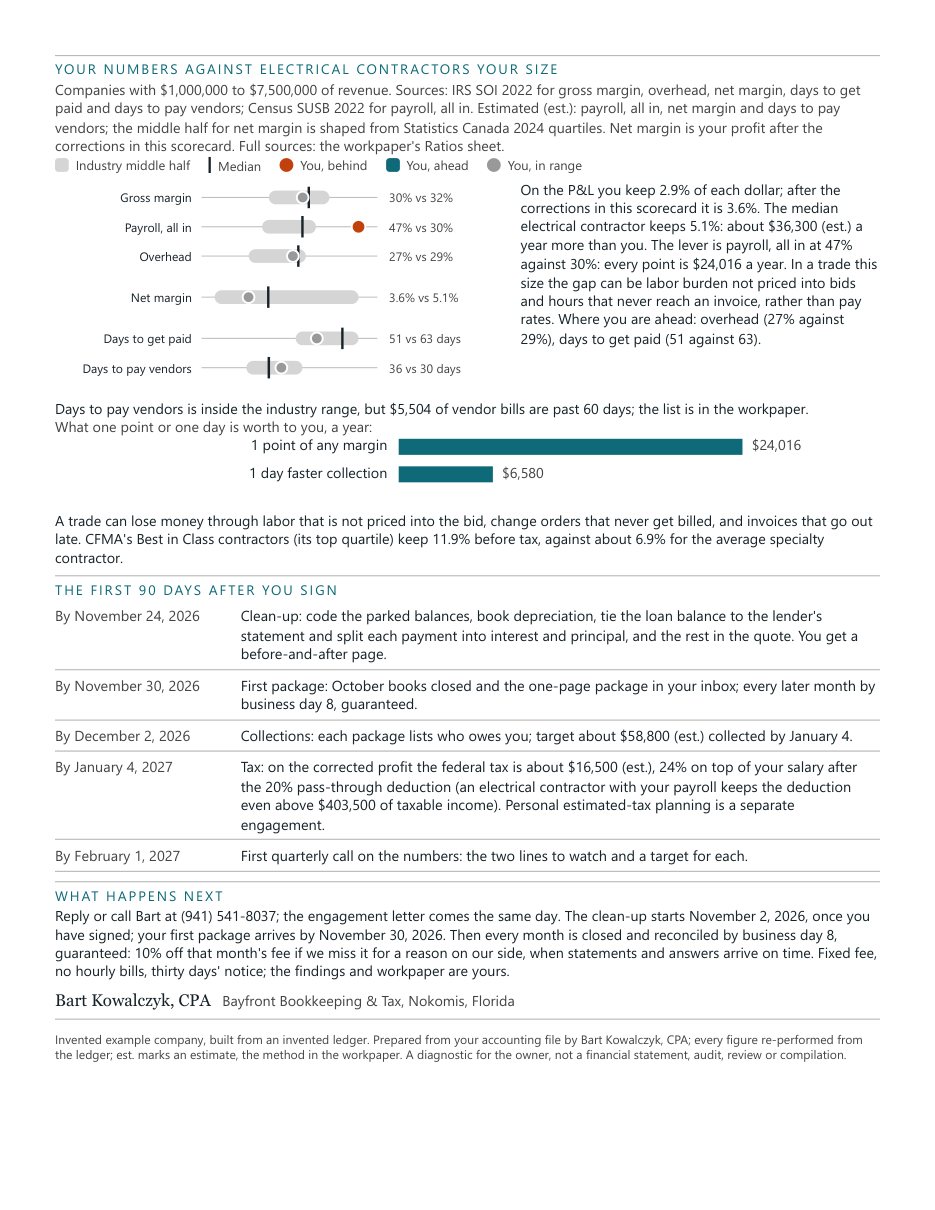
Your numbers against your industry
Margins, payroll, overhead and days to get paid, next to companies in your trade and size.
Today against us, side by side
What your current setup does and does not do, the hours a month it costs you, and the price next to ours.
A 90-day plan
What happens first, by date, if you decide to go ahead.
What the report looks like.
These pages are from invented example companies, built from invented ledgers. They show the shape of the report, not a promise about yours. Select a page to open it full size.


 Invented example company
 Invented example company
 Invented example company
 Invented example company
 Invented example company
You never give us a password.
Accountant access is free, separate from your own login, does not use one of your paid user seats, and can be switched off any time. Nothing in your file changes; we read it.
QuickBooks Online: two minutes, from a computer
- Sign in as the primary admin or a company admin and click the gear icon, top right.
- Click Manage users, then the Accountants tab (on some versions it is called Accounting firms).
- Click Invite, enter bart@bayfrontbookkeeping.com and send. We accept the same day and tell you when the 48-hour clock started.
The phone app cannot send the invite. If a bookkeeper or a previous accountant holds the admin role, the primary admin can change it in Manage users, or call and we walk you through it.
On another system?
- Xero: invite bart@bayfrontbookkeeping.com with the Advisor role, and we export what we need ourselves.
- QuickBooks Desktop, Sage or NetSuite: about ten minutes of exports. We send the exact steps for your version.
- Spreadsheets: send the workbook you keep and the bank, card and loan statements through a secure upload link. Moving to a proper system is never a condition of working together.
For the review we need twelve months of general ledger and the latest balance sheet. Every system exports both.
What we can see
Reports, transactions and reconciliations. We cannot see or change your password, your bank login or your payment details.
What helps
The latest statement for each bank, card and loan account. Without one, the report says that account was not tested. Five short questions about your current setup are optional.
To remove us
Gear icon, Manage users, Accountants tab, then remove our firm. It takes effect immediately.
The review is a diagnostic for the owner. It is not a financial statement, an audit, a review or a compilation. We read the books with our own software, including Anthropic's Claude with model training turned off.